
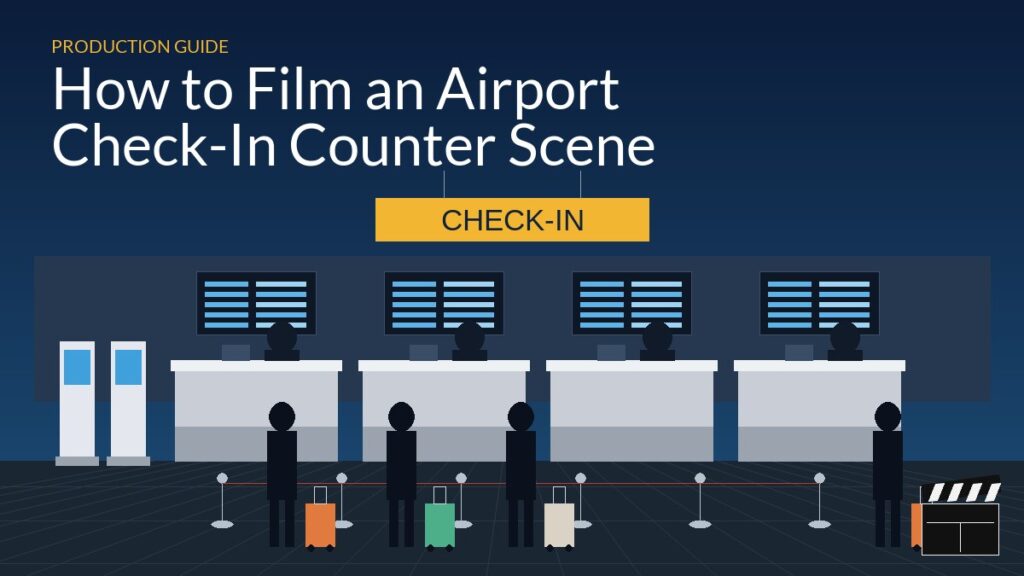
The check-in counter is where an airport story usually begins. It is the first time the audience sees the traveler with their luggage, the place where a passport turns out to be expired, where a ticket is under the wrong name, or where an agent quietly decides whether someone gets on the plane. Because almost everyone has stood in that line, the space reads instantly on screen. This guide covers how to film an airport check-in counter scene on a set: what the space needs, how to stage the line and the counter, which props make it believable, and how to cover the conversation across the desk.
Why Shoot Check-In on a Set
Check-in halls are among the busiest parts of a real airport. Lines form before the first departure and rarely clear, airline staff are working, and every counter carries an airline’s name, colors and screens that you would need permission to show. Filming there usually means permits, escorts, restricted hours and very little control over what passes through the background.
On a set, the counter belongs to your story. You choose the fictional airline, the destination on the screens, the length of the line and the moment the agent looks up. You can reset the queue for every take, move a counter a few feet to open up an angle and light the hall for the tone of the scene rather than the overhead fluorescents of a real terminal.
What a Check-In Scene Needs
Start from the script. A one-line exchange at the desk needs far less than a long scene in a crowded hall, and knowing which elements the camera will actually see keeps the art department focused.
The counter and back wall
The counter is the hero piece. It sets the height of the conversation, hides or reveals the agent’s hands and gives the traveler something to lean on. The back wall behind the agent is just as important, because it fills most close-ups on that side. Monitors or a branded panel on that wall tell the audience which airline and which flight without dialogue.
Self-service kiosks
Modern check-in rarely starts at the counter. A bank of touchscreen kiosks gives you a second staging area for travelers who struggle with the screen, skip the line or try to change a seat. Kiosks also fill the wide shot and make the hall look current.
The queue
Stanchions and belt barriers define the line and control background traffic. A switchback queue looks busier on camera than a straight line and lets you stack background players in a small footprint.
Luggage and the bag drop
Checked bags are part of the action: lifting a suitcase onto the scale, tagging it and watching it disappear. Plan the luggage for each character and for the background so the hall looks like people are actually traveling.
Props That Sell a Ticketing Hall
Air Hollywood Props rents the ticketing and terminal pieces that make a check-in area read as real, including:
- The Solo ticket counter and back walls with working monitors
- Touchscreen check-in kiosks in black and white, plus 65-inch digital sign kiosks
- A TSA Infopass passport kiosk, passport scanner and ID scanner
- Handheld and cellphone ticket scanners, and a vintage paper ticket scanner for period scenes
- Countertop luggage tag holders and a skycap cart
- Stanchions, arrivals/departures monitor walls, signage and luggage
For a deeper look at dressing the counter itself, see the prop house’s airport check-in counter set dressing guide. Whatever you rent, keep real airline names and logos off anything the camera can read and create a fictional carrier for the screens, signage and boarding passes.
Staging the Counter
Decide which side the story is on
Most check-in scenes favor the traveler, but some are told from behind the desk: the agent who recognizes a name, or the one who has to deliver bad news. Choosing early tells you which side needs the most dressing and which wall the camera will look at most.
Give the agent business
Real agents rarely stop working while they talk. Typing, scanning a passport, printing a tag, checking a screen and handing back documents all give the actor rhythm and give the editor cutaways. Work the steps out with the actor so the paperwork lands on the right lines.
Use the line as a pressure gauge
The queue behind the hero says how much time they have. A long, restless line adds pressure to an argument at the desk; an empty hall late at night makes the same scene lonely. Background players who check their watches, shuffle forward and glance at the counter make the tension visible.
Classic Check-In Beats
- The document problem. An expired passport, a missing visa or a name that does not match the booking. Keep the document as a clear hero prop and get an insert of it.
- The overweight bag. Opening a suitcase at the counter to move things around is a reliable comedy beat. Pack the bag with wardrobe that reveals something about the character.
- The last-minute arrival. A traveler running in as the counter closes. Plan the run through the hall and the stanchions so the camera can follow it.
- The upgrade or the bump. A small moment at the desk that changes the rest of the flight, setting up scenes later in the cabin.
- The goodbye. Someone sees the traveler off at the counter before security, a natural place for a farewell.
Coverage and Camera
- Establish the hall. A wide that shows the counters, kiosks and queue tells the audience where they are. Include overhead signage or a monitor wall if you have it.
- Shoot across the desk. Over-the-shoulder singles from each side of the counter are the backbone of the scene. Watch the counter height so it does not hide the actors’ hands or cut them off at an awkward line.
- Go behind the agent. A shot from behind the counter, with the line stretching away from the traveler, puts the audience in the agent’s position and shows the pressure of the queue.
- Get the inserts. Passport pages, the boarding pass printing, a tag wrapped around a handle, a bag on the scale and screen content all help the edit.
- Plan the screens. Working monitors and kiosks need content made for your fictional airline. Prepare graphics in advance, and decide which screens will play live and which will be replaced in post.
Shooting Check-In at Air Hollywood
Air Hollywood’s Airport Terminal film set is built to change roles. It rents fully furnished with airport seating, arrival and departure monitors, TSA screening equipment, stanchions, signage and touchscreen kiosks, and includes double-sided rolling wild walls for quick changes to the layout or color scheme. With included access to the prop house, the terminal can be transformed into a ticketing area, a security checkpoint, a departure lounge or customs and passport control.
That makes it practical to follow a traveler through the whole departure: check in at the counter, move through the security checkpoint, wait at the gate and then board one of our cabin sets, such as the Narrow-Body 737 or the Wide-Body 747. You can browse every set on our aviation sets page.
Frequently Asked Questions
Can Air Hollywood’s terminal be dressed as a check-in area?
Yes. The Airport Terminal set comes with included access to the prop house, and it can be transformed into a ticketing area with counters, kiosks, monitors, stanchions and signage.
Can I rent a ticket counter for my own location?
Air Hollywood Props rents ticketing and terminal props, including the Solo ticket counter, back walls with working monitors, check-in kiosks and scanners. You can request a quote through airhollywoodprops.com.
How do I avoid showing real airline branding?
Create a fictional airline for the scene and use it consistently on screens, signage, boarding passes and tags. Check the background of every wide shot for readable real brand names before you roll.
Can I shoot check-in, security and the flight in one place?
Yes. Air Hollywood has both the Airport Terminal set and airplane cabin sets at its studio, so a full departure sequence can be filmed without a company move.
Book a Scout
Planning a check-in counter or ticketing scene? Call 747-400-0747 or contact Air Hollywood to schedule a scout at our studio at 27615 Avenue Hopkins, Valencia, CA 91355, and walk the terminal with your director, production designer and director of photography.